 7 min read
Building my blog site with TypeScript
Introduction
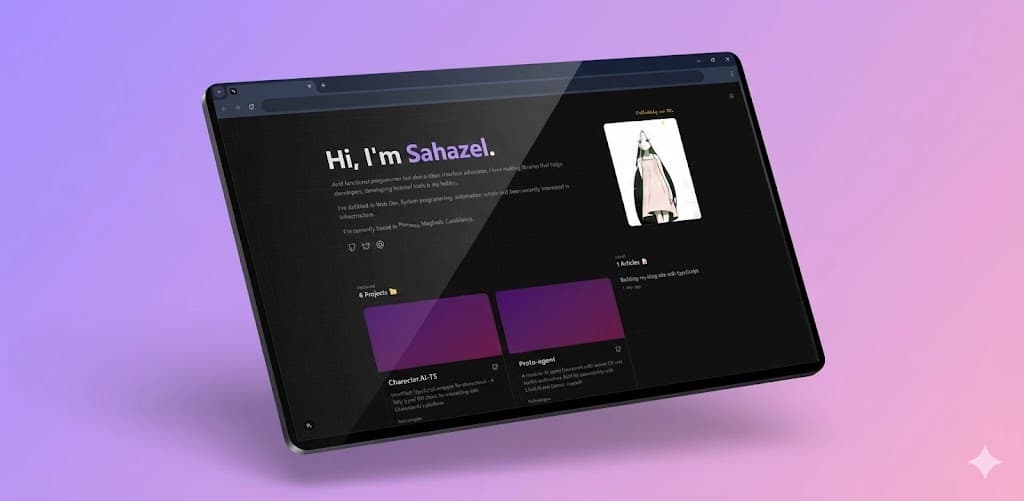
First blog post in my freshly deployed personal blog site! I've always wanted a personal blog to share my thoughts and projects. So I built one. Took a week and some questionable decisions I'll explain below.
The Tech Stack
Here's what powers this blog:
- Next.js 16 - The React framework with App Router
- TypeScript - Type safety is non-negotiable
- MDX - Markdown with JSX components
- Tailwind CSS - Utility-first styling
- Bun - Fast JavaScript runtime and package manager
- Umami - Privacy-focused analytics
Why Next.js? Why not Astro or 11ty?
People say it's overkill for a blog, and that's true. But it's overkill at no additional cost.
Implementing SSG in Next.js is straightforward and comparable to other frameworks. If it demanded significantly more effort without tangible advantages, I wouldn’t bother. It’s low-cost to configure, and it positions the project to easily adopt additional Next.js features in the future if needed.
The bundle size is maybe the biggest reason to go with something else...say, Astro. Next.js ships with around 200KB of JavaScript (React runtime, hydration, client router) even for a static site. on the other hand Astro ships with a lot less but let's be honest, there's a high chance you'll end up using React with Astro anyway for interactivity (i know i would), plus their View Transitions client router (~50KB total). It's not as big as Next.js, but it's not zero either..., just food for thought.
Going with NextJS pays an upfront tax; the React runtime, hydration layer, and client router ship on every page regardless of how much interactivity you actually need. For a static blog, that's overhead. But the upside is you're never limited, adding interactivity later is trivial because the infrastructure is already there. And if you need a component or library from the React ecosystem, you already have it. For example, I used shadcn's tooltip component - was it worth the 200KB Next.js tax just for a tooltip? No. But that's assuming the tooltip is the only thing I'll ever add, and it won't be.
// Generating static paths for all blog posts
export async function generateStaticParams() {
    const posts = getAllPosts()
    return posts.map((post) => ({
        slug: post.slug,
    }))
}
Why MDX?
MDX lets me write content in Markdown while embedding React components when needed. This is perfect for technical blog posts where I might want to include interactive examples or custom styling.
## This is markdown

But I can also use <CustomComponent prop="value" /> inline!
One thing i found cool about next/mdx is that i can just do :
const { default: Post } = await import(`@/content/blogs/${slug}/index.mdx`)to dynamically import the MDX file as a React component. No extra loaders or plugins needed.
Project Structure
I organized my blog with a clean folder structure:
content/
    blogs/ # Where all the actual blog posts live
        Building-my-blog-site/
            index.mdx
public/
    blog-assets/ # Static assets for blog posts
        Building-my-blog-site/
            cover_image.jpg
lib/
    actions.ts    # Blog post utilities
    utils.ts      # Helper functions
app/
    blog/
    page.tsx        # Blog listing
    [slug]/
        page.tsx      # Individual post
Each blog post lives in its own folder under content/blogs/. This keeps assets organized and makes it easy to manage related files.
Parsing Blog Posts
The magic happens in lib/actions.ts. Using gray-matter, I parse the MDX frontmatter to extract metadata:
import matter from "gray-matter";
import fs from "fs";

export function getAllPosts() {
    const blogDir = path.join(process.cwd(), "content", "blogs");
    const dirs = fs.readdirSync(blogDir, { withFileTypes: true })
        .filter(dirent => dirent.isDirectory())
        .map(dirent => dirent.name);

    return dirs.map(dir => {
        const filePath = path.join(blogDir, dir, "index.mdx");
        const content = fs.readFileSync(filePath, 'utf8');
        const { data } = matter(content);

        return {
            slug: dir,
            title: data.title,
            date: formatDate(new Date(data.date)),
            // ... more fields
        };
    });
}
and using this metadata, I generate static paths and render post listings using Next.js's SSG capabilities (see above).
Challenges I Faced
1. MDX Configuration
Now...this is kind of my fault since somehow i missed the exact paragraph in the Next.js docs that describes my current issues but it's also vercel's.
I initially struggled to get any kind of remark or rehype plugins working with next/mdx.
the docs clearly says the way to have a next.config.ts file like :
import remarkGfm from 'remark-gfm'
import createMDX from '@next/mdx'

/** @type {import('next').NextConfig} */
const nextConfig = {
  // Allow .mdx extensions for files
  pageExtensions: ['js', 'jsx', 'md', 'mdx', 'ts', 'tsx'],
  // Optionally, add any other Next.js config below
}

const withMDX = createMDX({
  // Add markdown plugins here, as desired
  options: {
    remarkPlugins: [remarkGfm],
    rehypePlugins: [],
  },
})

// Combine MDX and Next.js config
export default withMDX(nextConfig)
Now this would have worked perfectly fine...if the default bundler wasn't turbopack which the former code is not compatible with. it's astonishing that the first paragraph in the next mdx docs doesn't work for the default next.js setup. now the solution was right there in the docs after the above paragraph but still...i had to waste like 1 hour of my life trying to figure this out. the solution was a different way to configure plugins that works with turbopack :
import createMDX from '@next/mdx'
const withMDX = createMDX({
  options: {

    mdxExtensions: ['mdx', 'md'],

    remarkPlugins: [['remark-frontmatter', { strict: true, throwOnError: true, type: 'yaml', fence: '---' }], ['remark-gfm', { strict: true, throwOnError: true }]],
    rehypePlugins: [['rehype-pretty-code', {
      keepBackground: false,
    }]],
  }
})
you see the difference? the plugins are arrays with options instead of just the plugin itself.
What's Next?
This is just the beginning. Here are some features I'm planning to add:
- Code syntax highlighting with themes
- Related posts suggestions
- RSS feed
- Comments with Giscus
Conclusion
Building your own blog is a rewarding experience. You have complete control over the design, functionality, and content. While platforms like Medium or Dev.to are great, there's something special about owning your corner of the internet.
Feel free to check out the source code on GitHub or reach out on Twitter if you have any questions!
Thanks for reading! If you found this helpful, consider sharing it with others who might be interested.